How to Build Your First AI Workflow with n8n
Learn how to build your first AI workflow with n8n, connect AI models, automate repetitive tasks, and create powerful business automations without starting from scratch.
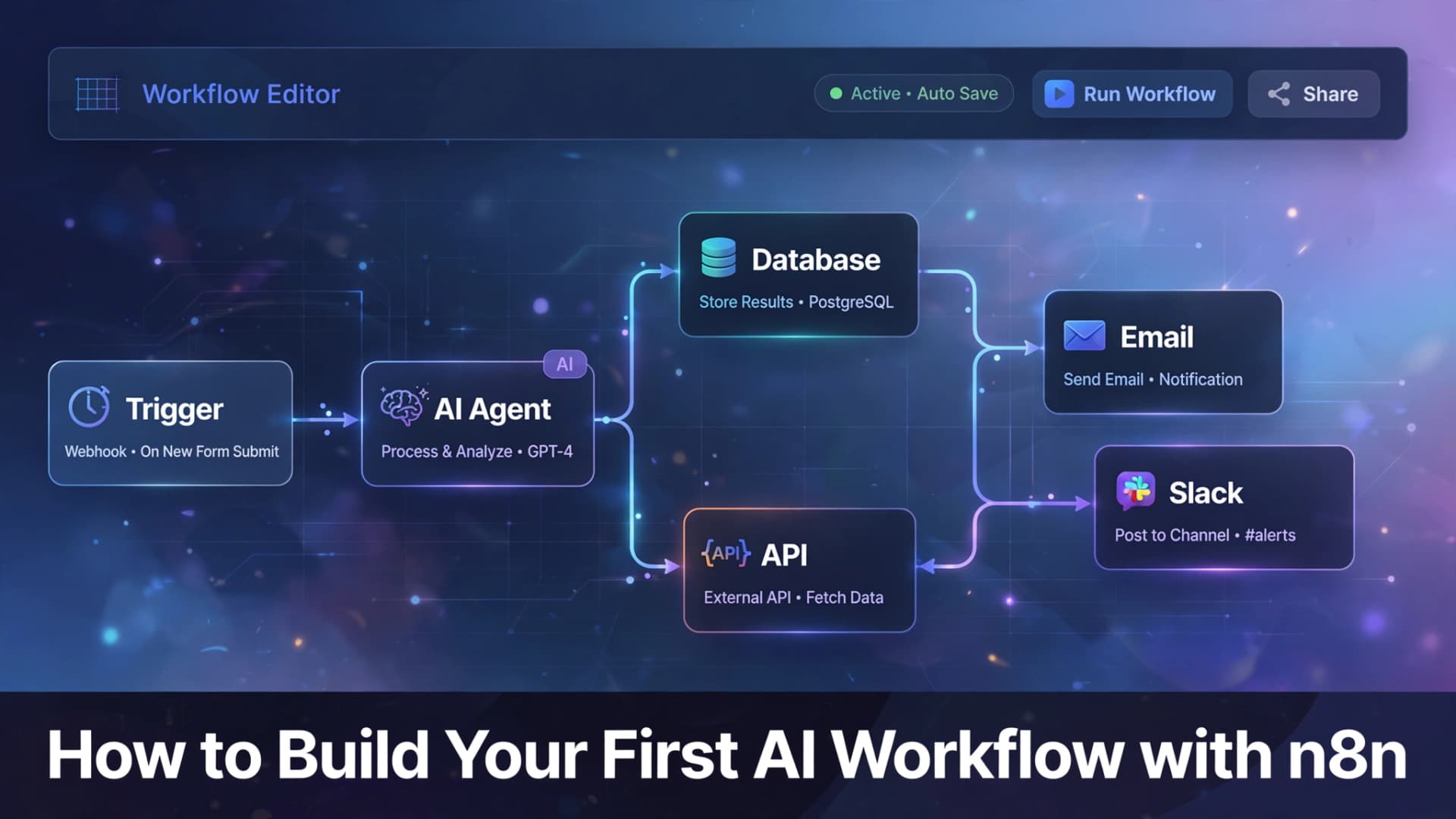
# How to Build Your First AI Workflow with n8n
Building AI automation doesn't have to be complicated.
With n8n, you can connect your favorite apps, integrate AI models, and automate repetitive tasks using a visual workflow builder. Whether you're automating customer support, lead management, or document processing, n8n makes it easier to create intelligent workflows without building everything from scratch.
Let's walk through the basics.
What Is n8n?
n8n is a workflow automation platform that connects different applications, APIs, and AI models into one automated process.
Instead of manually moving data between tools, n8n handles the entire workflow automatically.
It works with hundreds of services including CRMs, databases, cloud storage, messaging platforms, and AI providers.
What You Need Before You Start
Before creating your first workflow, make sure you have:
- An n8n workspace
- An AI provider (such as OpenAI or another supported model)
- At least one business app to automate
- API credentials if required
Once everything is connected, you're ready to build.
Step 1: Choose a Trigger
Every workflow begins with a trigger.
Examples include:
- A new form submission
- A received email
- A webhook request
- A scheduled time
- A new database record
The trigger tells n8n when the automation should start.